
Here’s the reality: most small business owners spend way too much time figuring out what their marketing should look like instead of actually doing the marketing.
You’re juggling a thousand things already. The last thing you need is to stare at a blank design canvas for three hours trying to figure out where to put your logo.
That’s where marketing templates for small business come in. They’re pre-built, professionally designed, and ready to customize with your own info. No design degree required.
Let’s walk through the templates that actually move the needle for small businesses in 2026, and how to pick the right ones for your specific needs.
Why Marketing Templates Actually Matter for Small Business
Before we get into the specific templates, here’s why this matters.
Related: Best Digital Marketing Templates for Small Businesses
Professional-looking marketing materials build trust. Studies show that people judge businesses in milliseconds based on visual design. If your flyer looks homemade, your business looks homemade.
But here’s the catch: hiring a designer costs $1,500 to $5,000+ per project. That’s unrealistic for most small businesses.
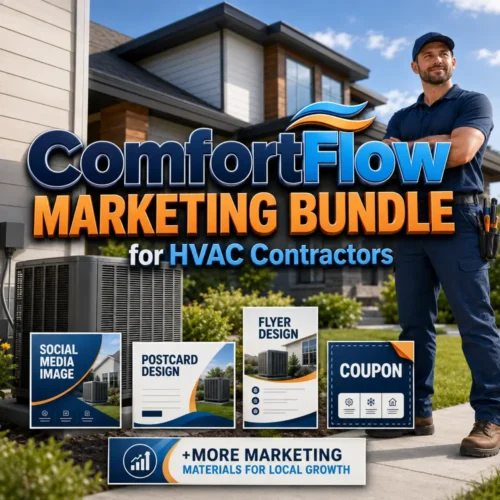
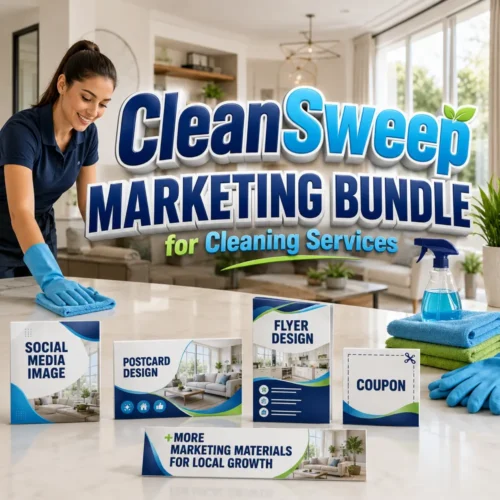
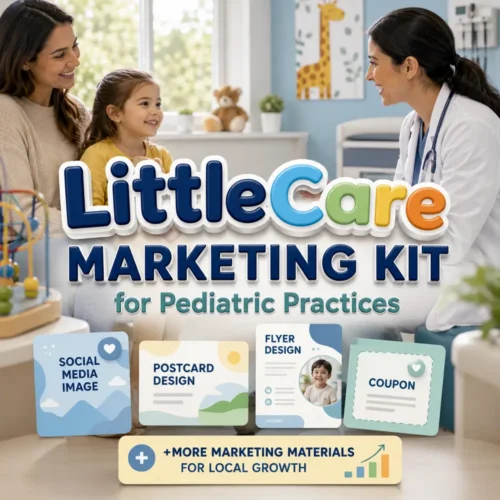
Getitpage.online solves this by giving you thousands of pre-made, professionally designed templates. You swap in your text, add your colors, and boom. You’ve got marketing materials that look like you paid big money for them.
The time savings are real too. Instead of 20 hours designing, you’re looking at 30 minutes customizing.
1. Email Marketing Templates
Email is still the highest ROI marketing channel for small businesses. But the design part trips people up.
You need:
- Welcome sequences (for new subscribers)
- Promotional email layouts
- Newsletter templates
- Abandoned cart reminders (if you sell online)
- Follow-up sequences
A solid email template has clear hierarchy, a single call-to-action button, and mobile-responsive design. It should work on iPhone, Gmail, and Outlook without looking broken.
Start with one template and reuse it. This builds brand recognition in your subscriber’s inbox.
2. Social Media Graphics and Post Templates
Consistency wins on social media. Your posts should look like they come from the same business.
Related: Best Instant Social Media Marketing Templates for 2026
You need templates for:
- Instagram posts (1080x1080px)
- LinkedIn company posts
- Facebook cover photos and ads
- TikTok video templates
- Instagram Stories and Reels
- Quote graphics for sharing
The beauty here is that you can batch-create content. Design 20 posts on Sunday, schedule them throughout the month, and your social channels stay active without daily effort.
3. Landing Page Templates
A landing page is a single webpage designed to convert visitors into leads or customers. It removes all distractions and focuses on one goal.
You’ll want templates for:
- Lead capture pages (email signup)
- Product launch pages
- Webinar registration pages
- Free resource download pages
- Sales pages for your main offer
Landing pages are where templates save the most time. Designing one from scratch takes 10-15 hours. A template cuts that down to 45 minutes of customization.
4. Business Plan and Marketing Plan Templates
Before you launch a campaign, you should map it out. A marketing plan template gives you the structure to think through:
- Your target audience
- Your competitive advantage
- Your marketing channels (social, email, ads, content, etc.)
- Monthly budget breakdown
- Success metrics and KPIs
- Timeline and milestones
These templates usually come as downloadable PDFs or editable documents. They force you to answer the hard questions before you spend money.
5. Flyer and Brochure Templates

Not everything happens online. Physical marketing materials still work for local businesses.
Common uses:
- Product flyers for in-store or event distribution
- Service brochures to leave with prospects
- Door hangers for neighborhood campaigns
- Rack cards for reception areas
- Tri-fold brochures for direct mail
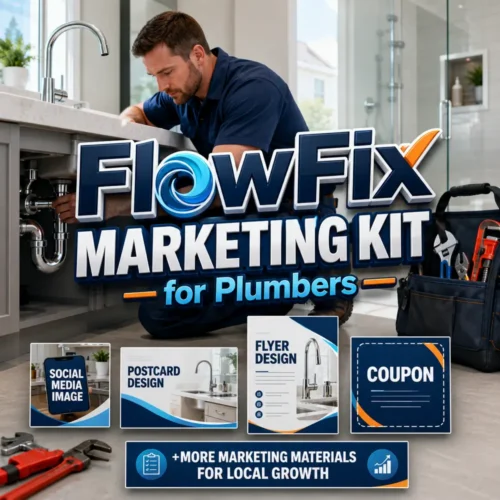
These are especially useful if you do local services like plumbing, cleaning, landscaping, or real estate. A professional-looking flyer handed to someone is way more memorable than a cold email.
6. Presentation Deck Templates
Whether you’re pitching to investors, presenting to clients, or training your team, presentation templates standardize how your business looks and communicates.
You’ll use these for:
- Sales pitches to new clients
- Investor presentations
- Internal team training
- Conference presentations
- Webinar slides
A template keeps your slides consistent and lets you focus on the message instead of fighting with design.
7. Invoice and Contract Templates
This is often overlooked, but your invoice IS a marketing document. It’s the last thing a client sees after they’ve paid you.
A professional invoice template:
- Builds brand trust
- Includes your logo and colors
- Has clear payment terms
- Shows professionalism (increases perceived value)
- Makes accounting easier
Same goes for contracts and proposals. Templates here save legal back-and-forth and standardize your terms.
8. Google Business Profile and Local Listing Templates
If you have a physical location or serve a local area, your Google Business Profile is critical. Over 80% of local searches happen on mobile, and most click your business directly from Google.
Templates or checklists here help you:
- Optimize your business description
- Write compelling service descriptions
- Create posts for your profile
- Manage photos and galleries
- Track questions from potential customers
This is free marketing visibility you’re probably leaving on the table.
9. Content Calendar and Social Planning Templates
Content marketing works. But only if you’re consistent. A content calendar template keeps you organized and prevents the “what do I post today?” panic at 9 AM.
Want results like these?
You’ll track:
- Post dates and times
- Platforms (Instagram, LinkedIn, TikTok, etc.)
- Content themes
- Copy and captions
- Hashtags
- Performance goals
Most small businesses fail at social media consistency, not strategy. A template fixes half that problem immediately.
10. Paid Ads Templates

Whether you’re running Facebook ads, Google Search ads, or LinkedIn campaigns, templates help you structure your ad copy and design quickly.
These include:
- Ad headline and description copy frameworks
- Ad creative dimensions for different platforms
- Split test tracking sheets
- Campaign tracking templates
Ads are where small business marketing budgets go to work. Templates ensure your ads are tested, tracked, and optimized.
How to Choose the Right Templates for Your Business
Not every template matters for every business. Here’s how to prioritize:
Step 1: List your marketing channels. Where does your customer actually spend time? Instagram? Email? Local search? LinkedIn?
Step 2: Match templates to channels. If you do B2B services, LinkedIn and email templates matter most. If you’re retail or local services, social graphics and Google Business templates are priority.
Step 3: Start with one. Don’t try to use 15 templates at once. Pick your top marketing channel and find a template that works for it. Master that one, then add more.
Step 4: Customize consistently. Use the same fonts, colors, and layout structure across all templates. This builds brand recognition.
When you’re looking for templates, Getitpage.online has thousands of options across industries and use cases. You can browse by industry, template type, or platform.
Common Mistakes When Using Marketing Templates
Templates only work if you use them right. Here are the traps to avoid:
Related: Customizable Marketing Templates by Industry | Getitpage.online
Mistake 1: Not customizing enough. Your brand colors, fonts, and voice matter. Don’t just fill in the blanks and ship it. Make it yours.
Mistake 2: Using outdated templates. Templates that looked good in 2022 might feel stale in 2026. Refresh them annually or when your brand evolves.
Mistake 3: Inconsistent usage. A template only builds brand trust if you use it consistently. Your email should match your social posts, which should match your flyers.
Mistake 4: Ignoring mobile. Most people see your marketing on phones. If a template doesn’t work on mobile, it doesn’t work.
Mistake 5: Skipping the copy. A beautiful template with lazy copy still underperforms. Spend time on your headline and call-to-action.
Where to Find Quality Marketing Templates
You have a few options:
- Canva (free and premium, drag-and-drop)
- Adobe Stock (premium, professional designs)
- Template libraries specific to your tool (Mailchimp, Shopify, etc.)
- Getitpage.online (5,000+ templates across industries, customizable, affordable)
The choice depends on your budget, skill level, and how much customization you need. If you want professional designs that are easy to edit without learning new software, dedicated template libraries usually win.
Real Results: How Templates Speed Up Small Business Marketing
Let’s put numbers to this.
Without templates: You spend 20 hours designing + 2 hours managing feedback + 3 hours fixing revisions = 25 hours per marketing asset. At $50/hour freelancer rates, that’s $1,250 per asset.
With templates: You spend 30 minutes customizing + 15 minutes tweaking = 45 minutes per asset. Cost: near zero (if using affordable template libraries).
Related: Best Affordable Marketing Templates 2026: Top 5 Ranked
That’s a 97% time savings and a $1,250 savings per asset.
Over a year, if you create 12 marketing assets (email templates, landing pages, social graphics, ads, etc.), you’re looking at 300 hours saved and $15,000+ in avoided design costs.
Those aren’t small numbers for a small business.
Getting Started with Your First Template
Here’s the action plan:
- Pick your most important marketing channel (the one that brings the most customers).
- Find a template that matches that channel.
- Customize it with your logo, colors, and copy in under an hour.
- Use it. Share it. Track how it performs.
- Once that’s working, add the next template.
Small businesses win by taking action, not by waiting for perfect. A good template used today beats a perfect custom design that takes three weeks to create.
If you’re ready to move fast and look professional while doing it, Getitpage.online has templates ready to go. Browse the library, pick what fits your business, and start customizing.
FAQs About Marketing Templates for Small Business
Do marketing templates actually look professional?
Yes. Modern templates are designed by professionals and look as good as custom work. The difference between a template and custom design is usually 5% visual quality but 300% difference in price and speed. For 95% of small businesses, templates are the smart choice.
Can I use the same template for multiple campaigns?
Absolutely. In fact, you should. Reusing templates builds brand consistency and saves time. You can swap out copy, colors, and images while keeping the core design structure the same.
What if I don’t have design skills?
That’s the whole point of templates. They’re designed for non-designers. Most template platforms use drag-and-drop editors that require zero design knowledge. If you can type and swap images, you can customize a template.
Are free templates as good as paid ones?
Free templates often feel generic because thousands of businesses use them. Paid templates usually offer more customization, better design quality, and less competition (fewer other businesses using the exact same look). For serious marketing, paid templates are worth the small investment.
Want results like these?











0 Comments