
A marketing calendar is a centralized planning tool that coordinates all your marketing activities, campaigns, and deadlines in one place. Think of it as your command center: everything from email blasts to social media posts to seasonal promotions lives here, organized by date, channel, and team member.
If you’re juggling multiple marketing channels, campaigns, or team members, a marketing calendar keeps you sane. Without one, you’re flying blind. With one, you see the full picture of what’s happening, when, and who’s responsible.
Related: What Is a Marketing Funnel? Complete 2026 Guide
Why You Actually Need a Marketing Calendar
Here’s the thing: small business owners are already stretched thin. A marketing calendar saves you from the chaos of scattered spreadsheets, forgotten deadlines, and conflicting campaign launches.
Related: Best Guerrilla Marketing Ideas for Small Budgets
Related: Best Marketing Templates for Small Business Growth
Related: Best Marketing Collateral Templates for Small Business
Related: Best Business Plan Templates 2026: Top 5 Ranked
Related: Best Marketing Mix Strategies 2026: Top 5 Frameworks Ranked
Related: Best Digital Marketing Templates for Small Businesses
First, it eliminates double-booking. You won’t accidentally promote two incompatible offers on the same day. Second, it forces you to think strategically. When you map out your entire year, you spot gaps and opportunities way earlier.
Third, it keeps your team (or you, if you’re solo) aligned. Everyone knows what’s launching when. No more “Wait, I thought you were handling that email campaign.” Fourth, a marketing calendar helps you capitalize on seasonal moments and global marketing dates—think holiday campaigns, back-to-school season, Black Friday prep, or industry-specific events.
Most importantly, it gives you data. You can track what worked and when, which makes next year’s planning smarter.
How to Build Your Marketing Calendar
Start simple. You don’t need fancy software right away. A shared spreadsheet or basic calendar tool works fine when you’re getting started.
Step 1: Audit Your Current Marketing Channels
List every channel you use: email marketing, social media (which platforms?), SMS, blog posts, paid ads, events, partnerships, anything else. Be honest about where your audience actually pays attention.
Step 2: Map Your Key Dates
Include company milestones (product launches, anniversaries), industry events, holidays relevant to your niche, and seasonal peaks in your customer cycle. If you sell winter coats, you better have August and September fully mapped. If you run a tax preparation service, January through April are critical.
Step 3: Assign Campaigns to Dates
Work backward from your key dates. If you want to launch a campaign on November 1st, when does planning need to start? Content creation? Review? Approval? Build in buffer time—at least 2-4 weeks for most campaigns.
Step 4: Add Tactical Details
For each campaign or post, note the channel, content format, owner, deadline, and status. This is where your calendar transforms from a schedule into a real workflow tool. You’re creating tasks directly in your calendar, not managing them separately.
Step 5: Review and Adjust Weekly
A calendar only works if you actually look at it. Block 30 minutes each Monday to review the week ahead. Are you on track? Any conflicts? This is your early warning system.
What to Include in Your Marketing Calendar
Don’t just throw dates at it. Your marketing calendar should include:
- Campaign name and type (email series, social push, paid ad campaign, blog post, etc.)
- Channel(s) (email, Instagram, TikTok, SMS, blog, website, etc.)
- Content details (headline, offer, visuals, copy length—just enough to remember what you’re doing)
- Owner/responsible person (especially if you have a team)
- Key dates (start date, publish/send date, end date)
- Status indicators (planning, in progress, review, scheduled, live, complete)
- Performance goals (what does success look like for this campaign?)
If you’re managing multiple campaigns or team members, color-coding by channel or owner helps you spot patterns. You might realize Tuesday email sends always convert better, or that your Instagram audience peaks on weekends.
Using Templates to Speed Up Planning

Building a marketing calendar from scratch is tedious. That’s exactly why Local Marketing Packs offers ready-made calendar templates that handle the heavy lifting. Instead of starting with a blank spreadsheet, you get a pre-structured template designed for real marketing workflows.
Want results like these?

The best templates come with example campaigns already mapped—seasonal ideas, holiday promotions, product launch sequences—so you can see exactly how to structure your own. You’re not reinventing the wheel; you’re customizing something already proven.
Look for templates that are interactive and editable. You want to drag-and-drop campaigns, color-code by channel, and swap in your own dates and offers. A static PDF calendar is basically useless because you’ll outgrow it in a week.
Multi-Channel Integration: Making It Actually Work
Here’s where most people mess up: they treat email, SMS, and social as separate calendars. Big mistake.
Your marketing calendar should show you how these channels work together. If you’re launching a sale on November 15th, your calendar should show:
- November 1st: Email announcement teaser
- November 5th: SMS reminder (for opted-in subscribers)
- November 10th: Social media countdown
- November 15th: Launch day push across all channels
This coordinated approach is called omnichannel marketing, and it dramatically increases conversion rates. Your audience sees a consistent message across platforms, which builds trust and urgency.
When everything’s in one calendar, you can instantly see if you’re overwhelming one audience (too many emails? too many SMS blasts?) or neglecting another channel.
Seasonal Planning and Engagement Opportunities
The real power of a marketing calendar is forward planning. Getting your annual calendar locked down early (like right now for 2026) means you’re not scrambling last-minute.
Identify your peak seasons: summer for pool contractors, winter for HVAC, spring for landscapers, fall for tax prep. Then work backward. If your busy season is July, your marketing push should start in April or May.
Beyond industry seasons, map global and seasonal moments that apply to your business: Mother’s Day, Father’s Day, Black Friday, New Year’s resolutions, back-to-school, holiday shopping, Valentine’s Day. Even if you’re B2B, these consumer moments matter because your customers are humans too.
Tools and Systems That Actually Work
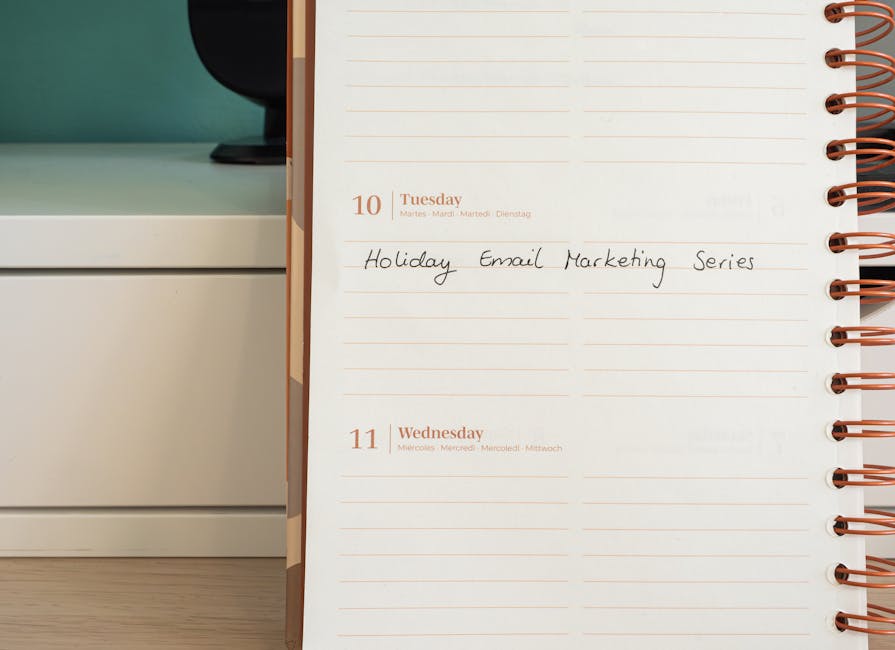
You have options depending on your budget and complexity:
- Spreadsheets (Google Sheets, Excel): Free, flexible, but clunky for complex workflows. Good if you’re solo or have 1-2 team members.
- Basic calendar apps (Google Calendar, Outlook): Visual, shareable, but limited for detailed campaign tracking.
- Project management tools (Asana, Monday.com, ClickUp): Powerful, team-friendly, but overkill if you’re starting out. There’s a learning curve.
- Marketing-specific platforms (HubSpot, Mailchimp): Built for marketing teams, but most are subscription-based.
- Template-based solutions: If you want to skip the setup pain, pre-built marketing calendar templates save you weeks of structure-building.
Honestly, start where you are. A spreadsheet works until it doesn’t. Then upgrade to something with more features. The worst thing you can do is spend six months researching software instead of actually planning campaigns.
Making Your Calendar a Team Tool
If you have a team, your calendar is communication. Everyone should be able to see what’s happening, when it’s happening, and who’s running it.
Set clear ownership. Assign one person per campaign. That person owns the deadline, the execution, and the reporting.
Hold weekly calendar reviews. 15-30 minutes on Monday morning is your time to align. What’s launching this week? Any blockers? What did last week’s campaigns accomplish?
Build in feedback loops. After each campaign, add a quick note to the calendar: did it hit targets? What would you do differently? These notes are gold for next year’s planning.
Many teams find that Local Marketing Packs templates reduce planning friction because everyone’s working from the same structure. No more debates about what should be in the calendar—it’s pre-designed with all the essential fields.
Common Mistakes to Avoid
Mistake 1: Being Too Rigid Your calendar isn’t set in stone. Leave 20-30% of your calendar unplanned so you can react to trends, opportunities, or customer feedback. Over-scheduling kills agility.
Mistake 2: Ignoring Performance Data Track results and feed them back into your calendar. If email converts better than social, do more email. If Thursdays outperform Mondays, schedule accordingly.
Mistake 3: Planning in Silos If your sales team, customer service team, or product team aren’t aware of marketing campaigns, they can’t support them. Share your calendar.
Mistake 4: Forgetting to Plan for Planning Content creation takes time. Build 4-6 weeks of lead time into your calendar for anything complex. Content that feels rushed usually performs worse.
Mistake 5: No Contingency Buffer Life happens. Team members get sick. Campaigns need revisions. Always include 1-2 weeks of buffer before your absolute deadline.
Getting Started Right Now
You don’t need permission to start. Open a spreadsheet or grab a calendar app today and block out your next 3 months. Just the basics: key dates, campaign names, channels, owners, deadlines.
Then expand to the full year. It’s not precious—you’ll refine it as you go.
If you’re building from scratch and want the structure done for you, Local Marketing Packs has customizable marketing calendar templates that take 15 minutes to personalize instead of three weeks to build from zero. They come with example campaigns, seasonal ideas, and all the fields you’ll actually need.
The best calendar is the one you’ll actually use. If that means starting simple and upgrading later, perfect. If that means using a template to jumpstart the process, also perfect. The only wrong move is not having one at all.
FAQs About Marketing Calendars
How far in advance should I plan my marketing calendar?
Ideally, at least 3-6 months ahead. Annual planning (for all of 2026, for example) is even better because it forces you to think strategically about seasons, product launches, and customer cycles. That said, your calendar should be flexible—leave room to adjust as new opportunities or priorities emerge.
What’s the difference between a marketing calendar and a content calendar?
A content calendar focuses specifically on blog posts, social media posts, and written/visual content. A marketing calendar is broader—it includes content, but also campaigns, emails, SMS, paid ads, events, partnerships, and anything else that’s part of your marketing strategy. Think of a content calendar as a subset of your marketing calendar.
Can I use a simple spreadsheet for my marketing calendar?
Yes, especially if you’re starting out or working solo. A spreadsheet is free and flexible. The downside is it’s not visual, hard to share in real-time, and doesn’t alert you to deadlines. As you grow, you’ll probably want something more interactive, but a spreadsheet is a perfectly valid starting point.
How do I coordinate marketing calendars across multiple channels like email and social media?
Put everything in one calendar and use color coding or sections to organize by channel. For each campaign, show the timeline across all channels—when the email goes out, when social posts run, when SMS blasts happen. This visual coordination makes it obvious when you’re overloading one audience and helps you see where channels support each other. Local Marketing Packs templates are structured specifically for this multi-channel coordination.
Want results like these?

















0 Comments